

ClearSpark
Shader Cache Cleaner for Windows 10 & 11
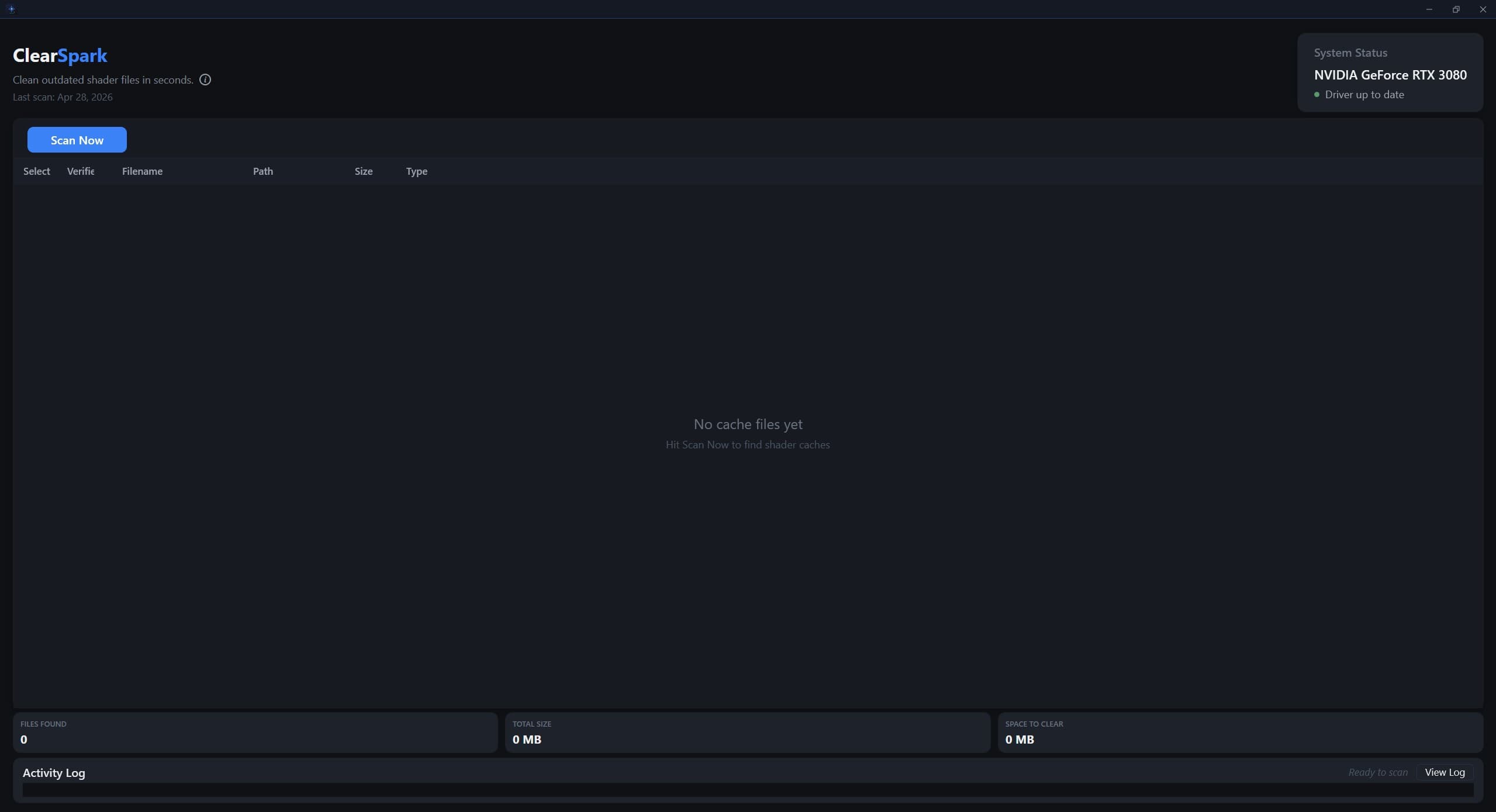
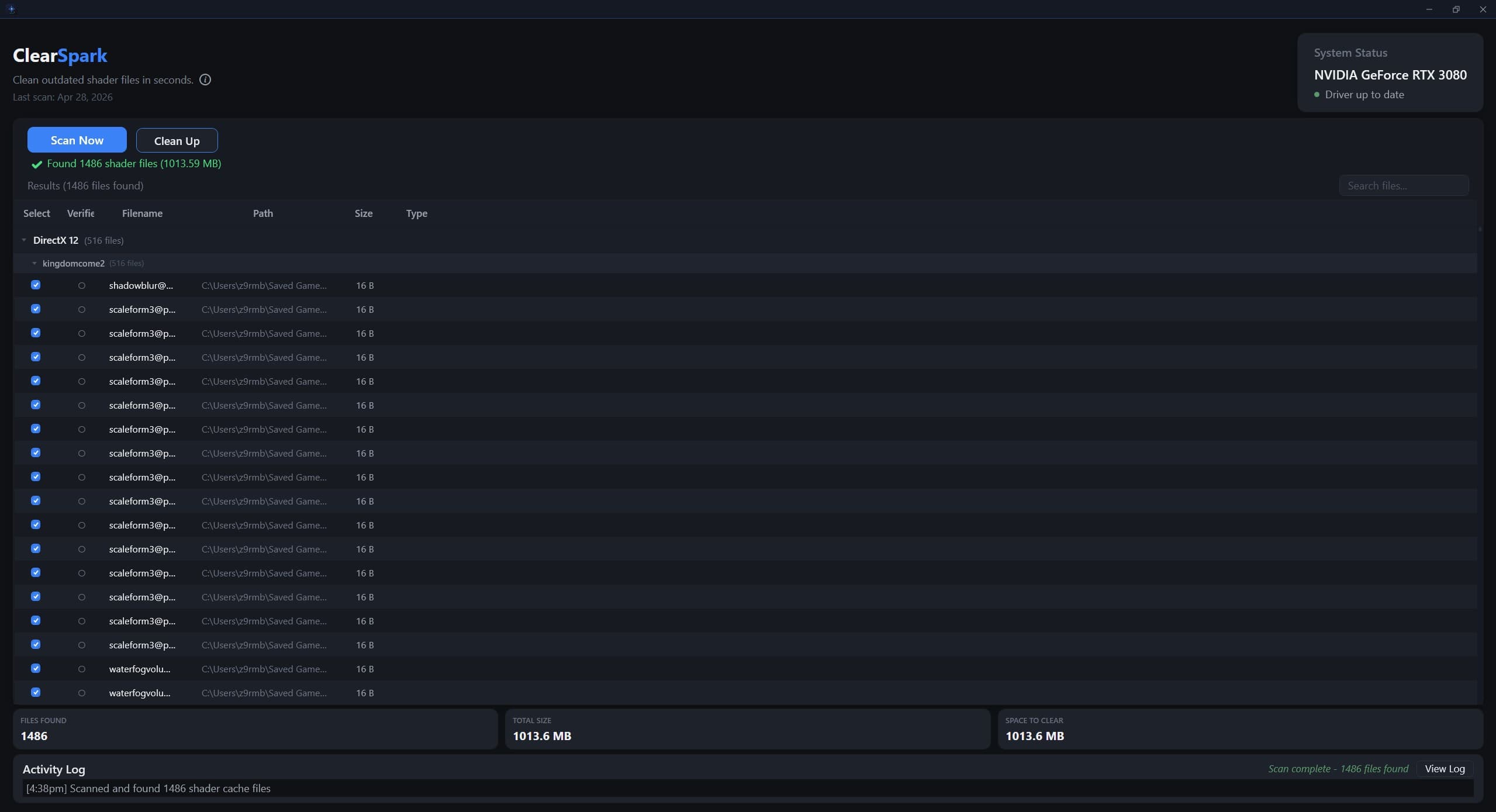
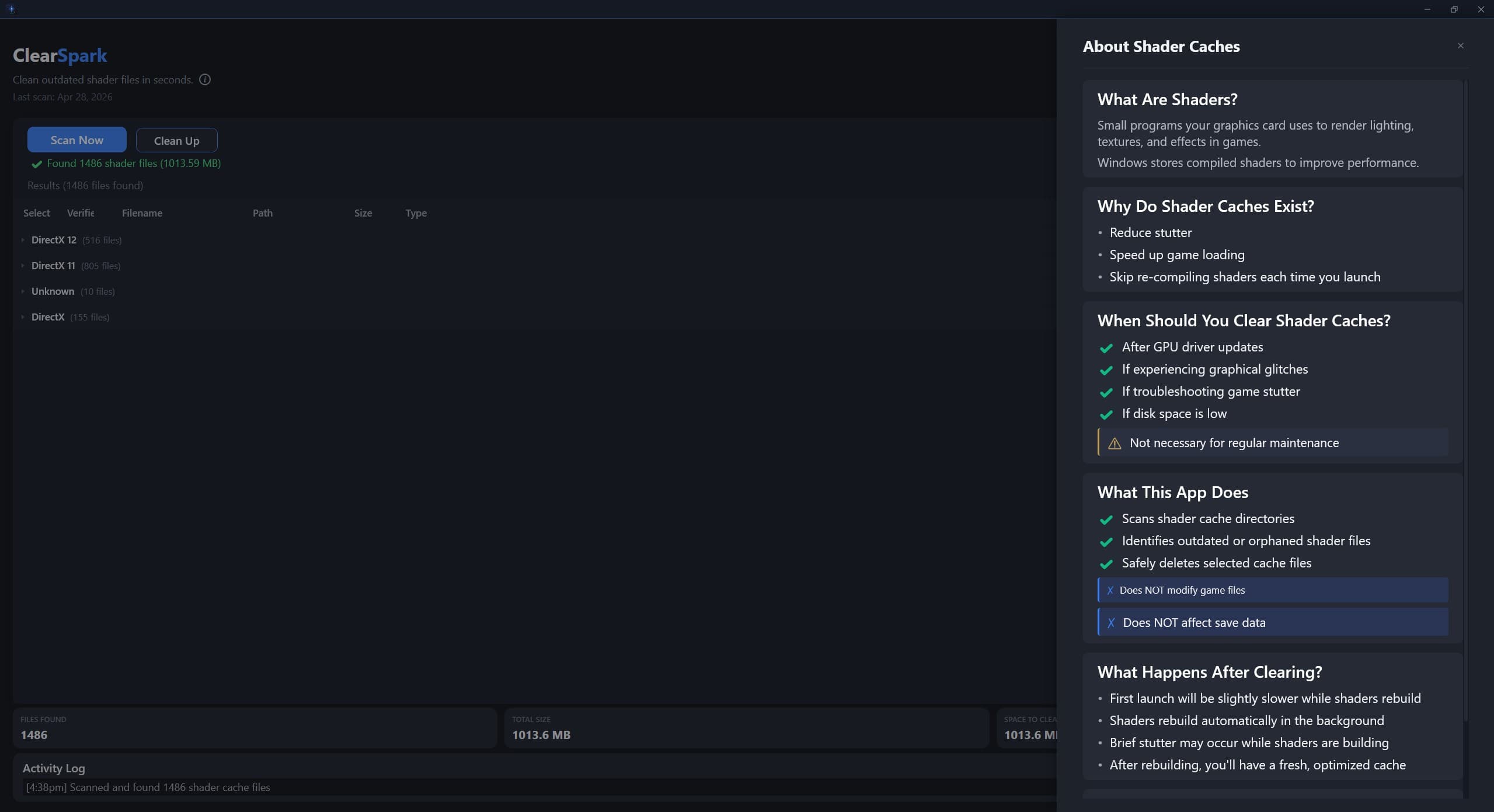
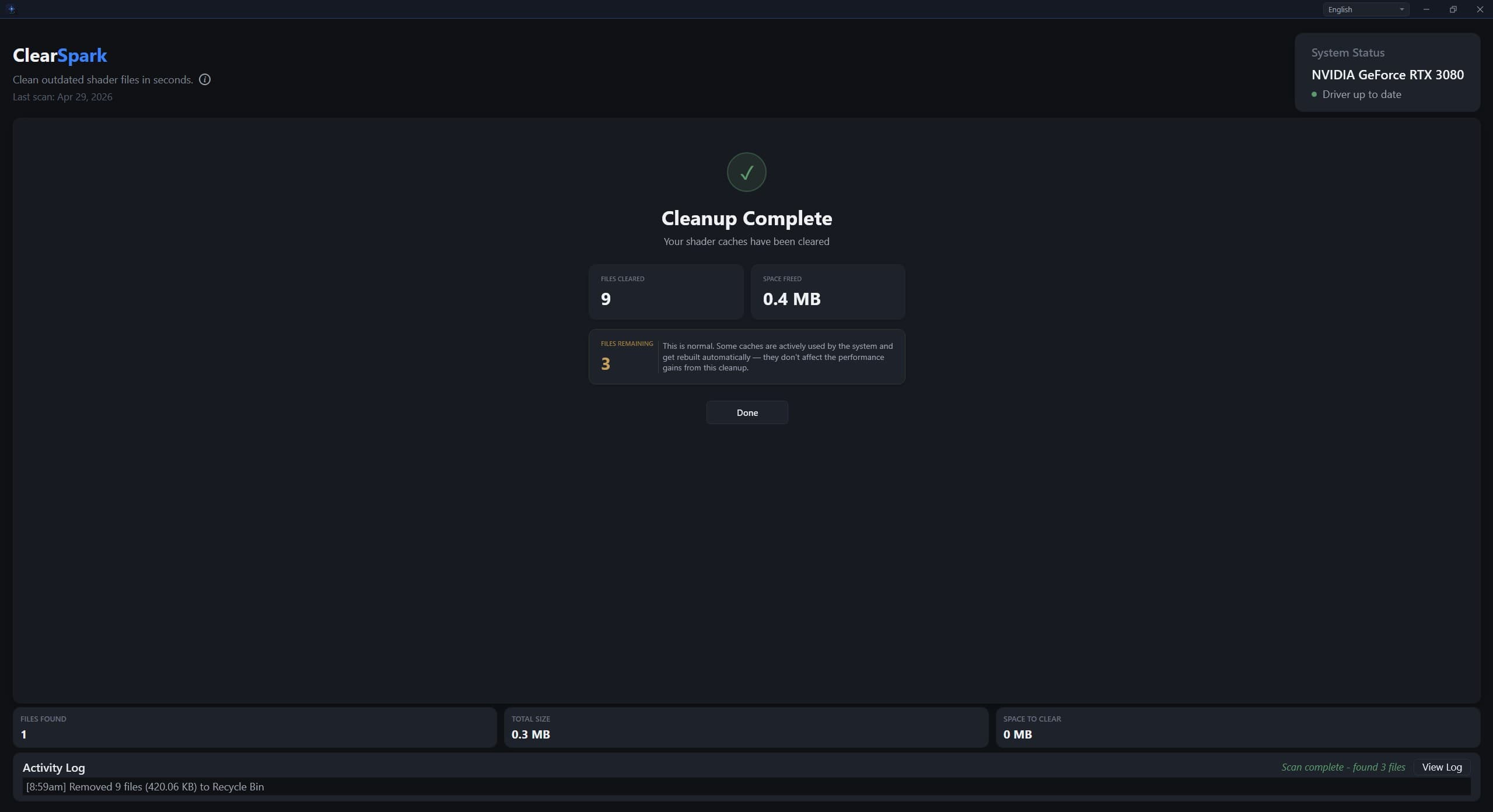
ClearSpark shader cache cleaner for Windows — product trailer

ClearSpark
by VibeWare LLC · Windows Utility
A lightweight Windows utility that clears accumulated shader cache files and checks your GPU driver status — keeping your PC clean, stable, and ready for gaming.
Every action is clearly shown before it happens, so you stay in control.
One-time purchase · No subscription
Windows 10 / 11 · Instant download · Email backup included
Platform
Windows 10/11
License
Lifetime
Delivery
Instant download
File size
62 MB
What It Does
Everything you need.
Nothing you don't.
01
Instant Scan
Scans all shader cache directories and groups results by DirectX type — DX11, DX12, and more.
02
Gaming-Safe
Does NOT modify game files or affect save data. Only targets shader cache — your games are completely untouched.
03
GPU Driver Status
Live system panel shows your GPU model and whether your graphics driver is up to date.
04
Full Transparency
See every file before you delete it — filename, path, size, and cache type. You stay in control.
05
Activity Log
Timestamped log tracks every scan and cleanup so you always know what was cleared and when.
06
Built-in Guide
Not sure when to clear? The info panel explains what shader caches are and when it actually helps.
Who It's For
Built for PC gamers
and power users.
- —People who want to keep their system maintained
- —PC gamers experiencing shader-related stutter or cache buildup
- —Users who want a quick way to reset shader caches after updates or driver changes
- —People who prefer a simple tool over manual system navigation
- —Anyone who wants a fast GPU driver status check
Changelog
Patch Notes
Questions
FAQ
Want the full breakdown — what shader caches are, when to clear them, and how to do it manually?
Read the guide →
ClearSpark
Shader Cache Cleaner + GPU Driver Check · Windows 10/11
One-time purchase
Price
$3.99
License
Lifetime
Platform
Windows
Delivery
Instant download
ClearSpark is designed to help maintain a clean shader cache state. Results will vary depending on system configuration and installed games. By purchasing, you agree to the End-User License Agreement.